
VM Blast Protocol Settings
Double-click on the VMware Horizon Client:
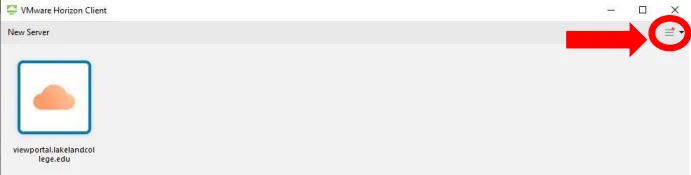
Click on the menu:
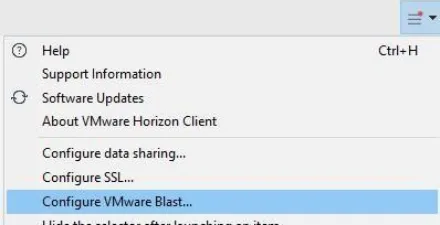
Select Configure VMware Blast:
Select the settings below for VMware Blast:
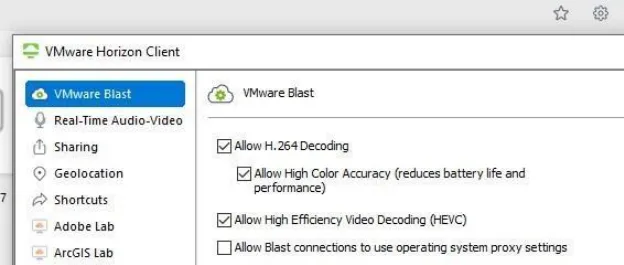
Uncheck these 4 boxes:
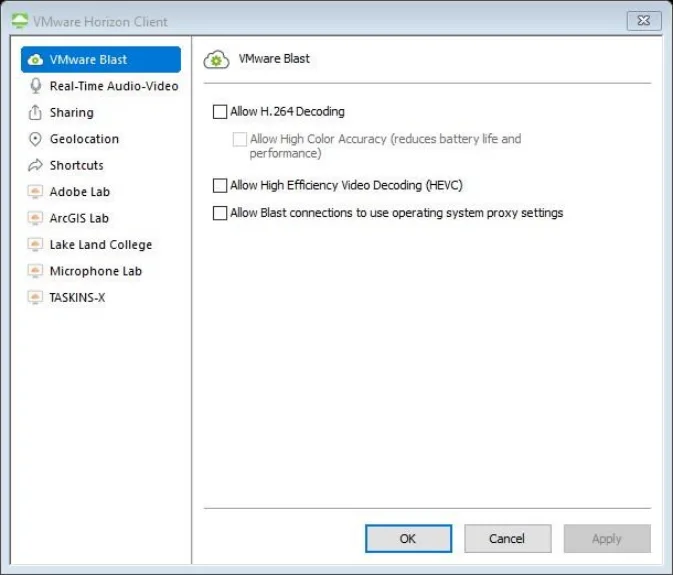
If you’re on Windows 7, you might only have one check box (Allow H.264).