
Navigating the Lake Land College Foundation Scholarship Application: A Guide for Applicants
The guide will walk you through the process of applying for scholarships through the Lake Land College Foundation using the AwardSpring platform.
Log In to the Laker Hub
Start by navigating to the Laker Hub, https://lakerhub.lakelandcollege.edu, and use the login information that was included in the welcome packet you received after completing the Intent to Enroll. You can also click on the “What’s my username?” / “What’s my password?” links on the login screen for help. To reset your password or if you experience difficulties logging in, call 217-234-5261.
Click on the Foundation Scholarship Application graphic to access the application.

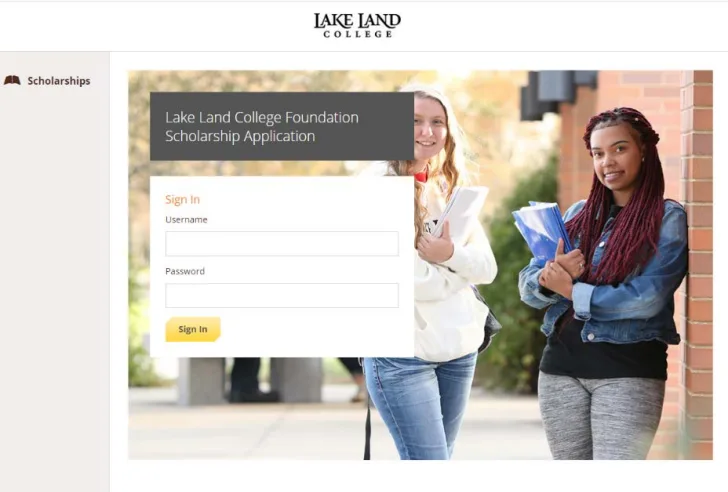
You will land on the login page. Use your Laker Hub username and password to log in.
Dashboard
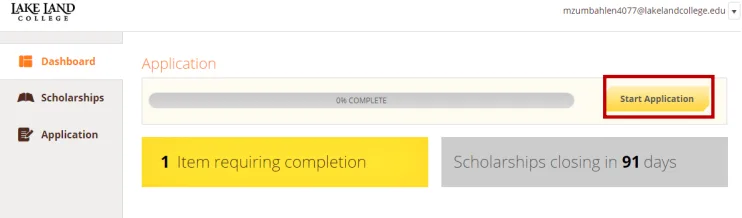
After logging in, you will be directed to your Dashboard. Important information about your application status and additional instructions will be displayed for you here.
Click the Start Application button to begin filling out your application.
Application
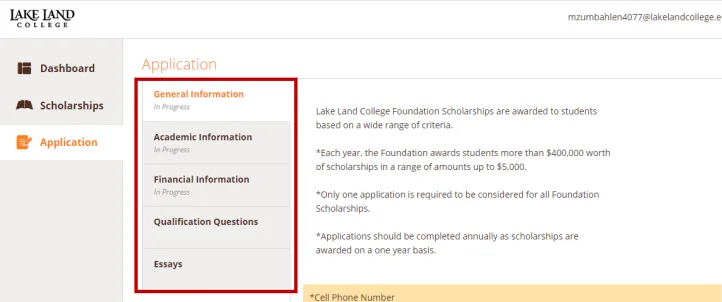
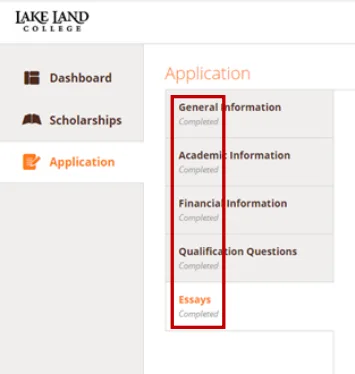
There are several tabs that make up the entire application. Complete all of them in order to submit your application. Please note that your answers to the essay questions will be a major part of your application score.
Completing all tabs of your application will enable the Submit Application button in the lower right corner. Click it to submit your application.

After submitting, you will be directed back to your Dashboard. There, you will see the number of scholarships to which you have been automatically applied based on your demographics and answers in your application and specific award criteria. Click in the gray Applied scholarships box to view the full list of applied scholarships.
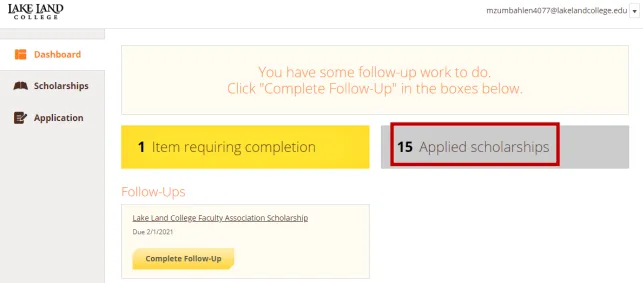
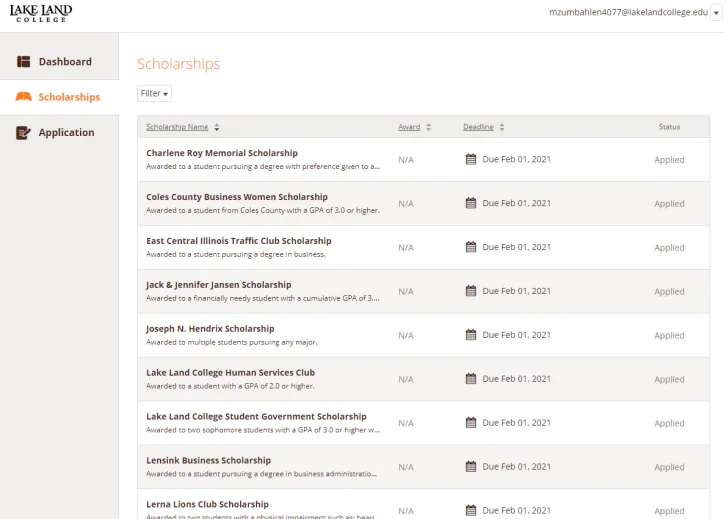
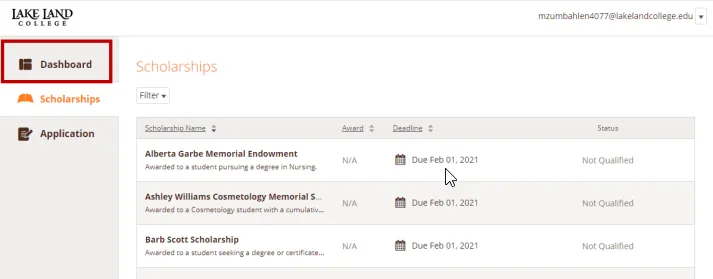
Click Dashboard to return to your Dashboard to view additional information or take further action.
You may be eligible for additional scholarships that require additional information. The Dashboard will prompt you to provide this. In this example, the applicant qualifies for the Lake Land College Faculty Association Scholarship, but additional follow-up information is required to apply. The applicant needs to click the Complete Follow-Up button to provide the required responses and/or documentation.
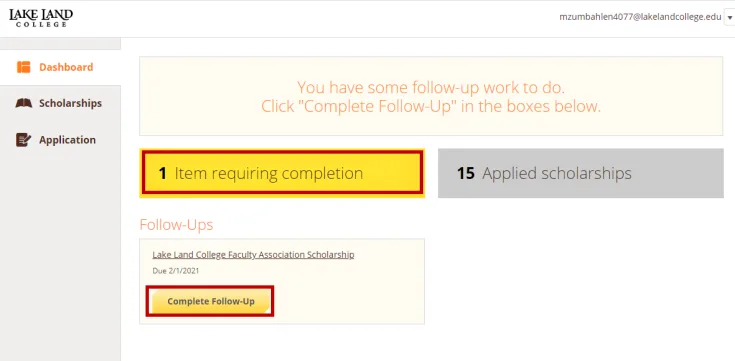
In this example, the applicant needs to upload two letters of support to apply for the scholarship.
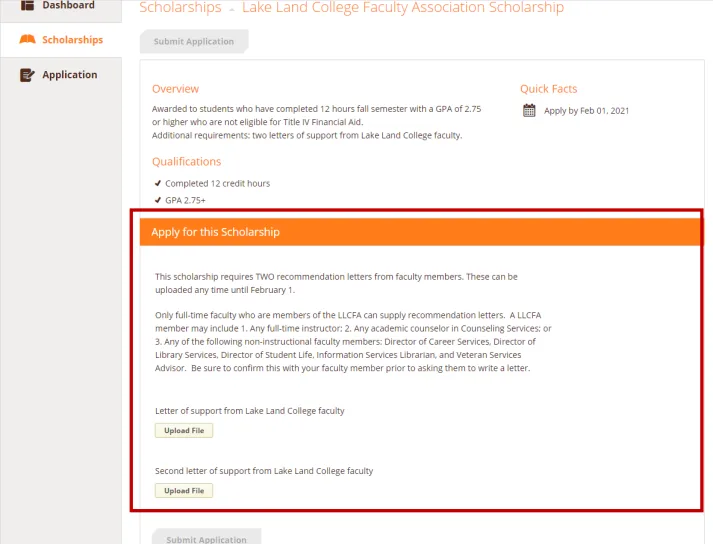
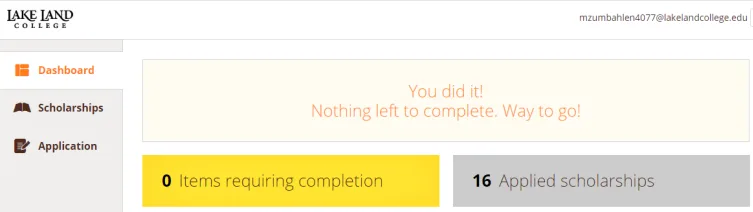
After completing all follow-up items for the scholarship, click the Resubmit Application button to submit your application. Proceed through all Follow-Up items for all scholarships listed until you see “0 Items requiring completion” on your Dashboard.
Scholarships
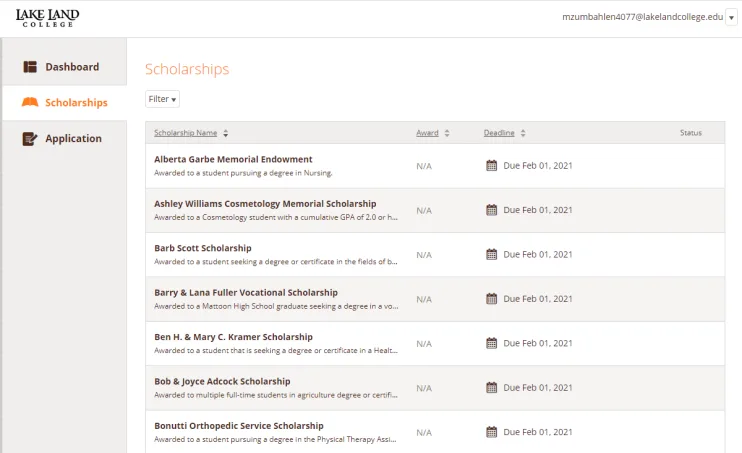
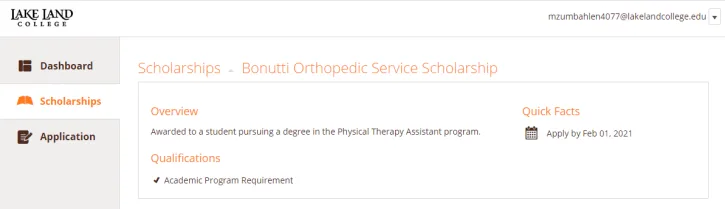
Scholarships will show you a list of all scholarships that are part of the Foundation Scholarship Application. You can click on each scholarship to see additional information and award criteria.
Questions?
If you have any questions regarding the Lake Land College Foundation Scholarship Application, email scholarships@lakelandcollege.edu.