
Student Instructions for Laker Connect Tasklist
This is available on the Dual Credit Website under the Parent and Students Button, as well as included in their handbook received in their welcome packet.
Task list to be completed for a $500 tuition and fee waiver, to be used in the semester after graduating from high school. Students are REQUIRED to check off each task on their list to be eligible for the waiver.
***All tasks must be completed by April 1st of your graduating year.*** Tuition and fee waiver for completing the task list is only usable in the first semester after high school graduation.
*These tasks do not need to be completed in a particular order.
Step 1
Once you are logged in to your HUB homepage (using your information provided in your dual credit welcome packet), you will find “Tasks” on the left sidebar navigation.
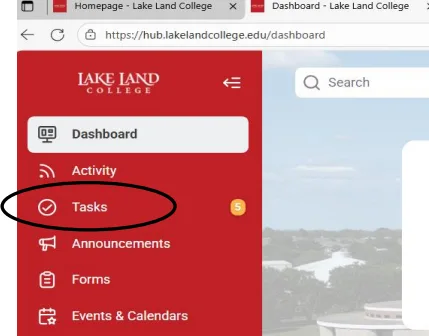
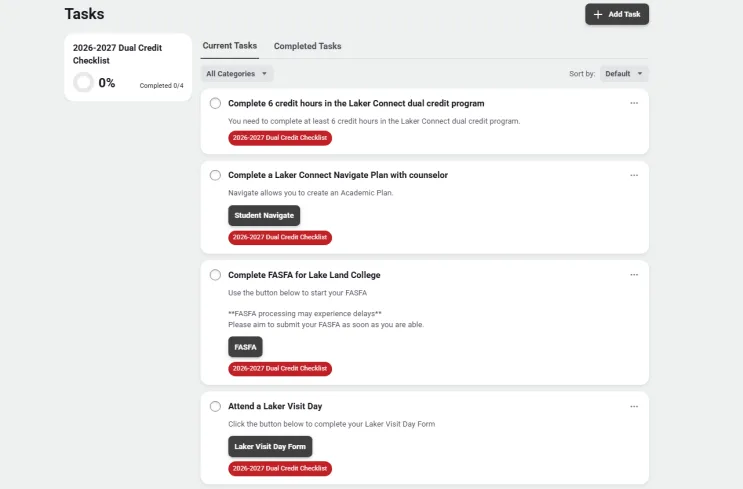
The “Tasks” button will take you to this screen.
Step 2
The Lake Land College Dual Credit Department is currently tracking your completed Dual Credit hours. If you are unsure of how many hours you have completed, you can view your student information on the HUB. You MUST check off this task after confirming you have completed the minimum of 6 hours.
*If you are a senior and you are completing your dual credit hours during the spring semester, you may check this task as completed by April 1st, even though the semester is not complete. We will verify which courses you are enrolled in.
Step 3
One task is to complete an education plan with a Lake Land academic advisor. The academic plan helps you see how your dual credit courses fit into your chosen certificate or degree area and identifies the courses you will need for the next steps in your education. You can do this in several ways!
- The Laker Connect Academic Counselor visits district high schools. Upcoming schools are listed on the Dual Credit webpage here: Dual Credit – Lake Land College.
- You can schedule a meeting via in-person, when the counselor comes to your school, Zoom, email, or phone call. Please contact Kellie Niemerg at kkeck16009@lakelandcollege.edu or by phone at 217-234-5473.
Step 4
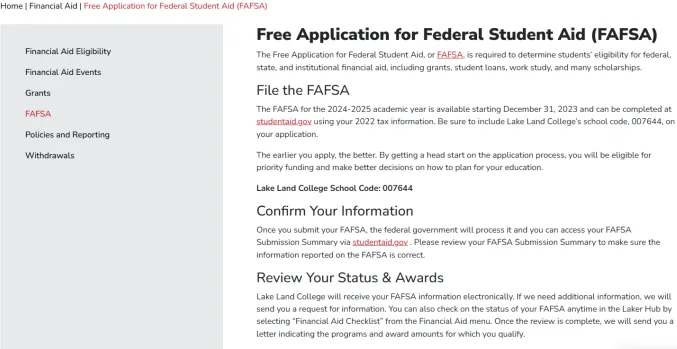
You must complete and submit your FAFSA to Lake Land College. Lake Land representatives host financial aid nights at your schools, which we strongly encourage you to attend. The dates are listed on the website here: Financial Aid – Lake Land College. If you need further support completing your FAFSA, please contact our Financial Aid office at 217-234-5231.
*FAFSA may experience delays in processing, so we ask that you complete this as soon as you are able.
Step 5
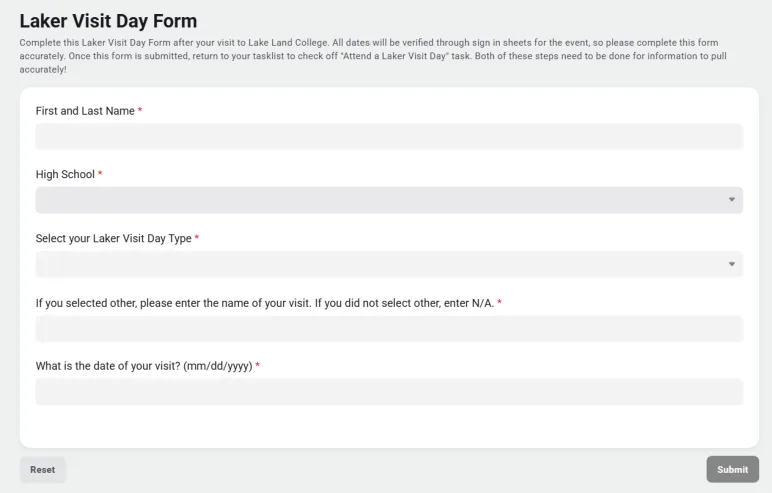
The fourth task is “Attending a Laker Visit Day”. You may attend another tour or visit event to complete this task. Complete the Laker Visit Day Form after your visit to Lake Land College. All dates will be verified using the event sign-in sheets, so please complete this form accurately. Once this form is submitted, return to your task list to check off the “Attend a Laker Visit Day” task. Both of these steps need to be done for the information to pull accurately.
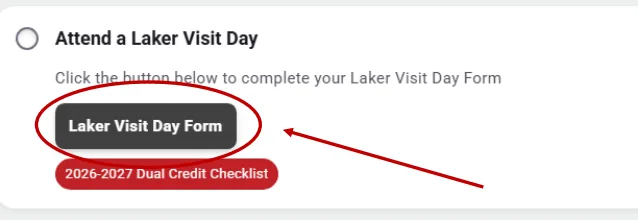
Complete this form and all drop-down questions as accurately as possible. The date of your visit is for any standard visit, as there are multiple each year, or for your “other visit”. If you are unsure of the date, please refer to your counselor or check our Lake Land College calendar. If we cannot verify your attendance, then it will not count.
Step 6
When you have completed the task, you will click the circle next to the task’s title. This will notify us that it is completed and will move the task from “Current Tasks” to “Completed Tasks”. It will update the percentage of your completed task list.
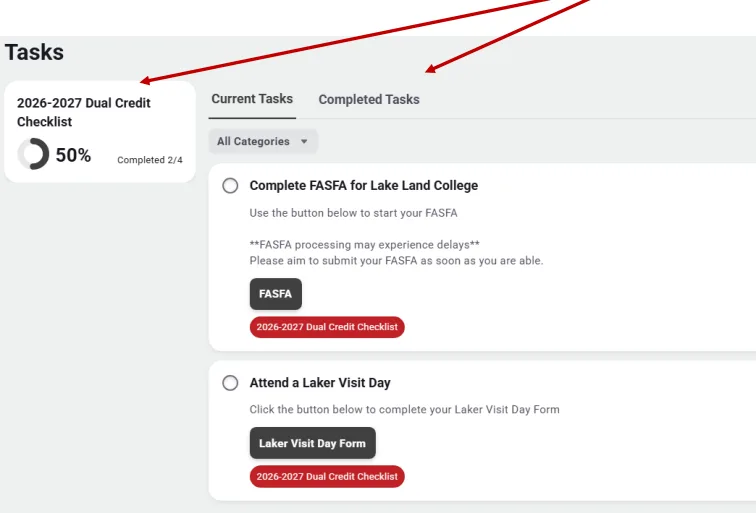
If you clicked a task that you have not completed, you can go into the “Completed Tasks” and uncheck the circle. This will put the task back into “Current Tasks”.
*Please be sure that you only keep tasks checked off that you have completed. We verify each task.
The Dual Credit Office will start contacting high school counselors and students in March. Counselors will receive an email about their seniors’ task list status, and students will receive status notifications on their HUB dashboard.