
Navigate Icons Quick Guide
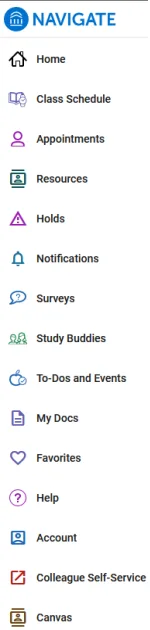

Plan your degree and schedule your courses (Desktop only).
View your Navigate homepage.
View your class schedule with meeting times, instructor, and location.
Schedule appointments with support offices; view upcoming appointments, invitations, and history.
Connect with your success team and with campus departments and services.
View holds and instructions on how to resolve them.
View notifications from campus departments and student support personnel.
Respond to campus surveys.
Connect with classmates to form study groups.
Receive notifications of deadlines and important events.
Refer to documents provided by college offices and staff.
View “favorited” resources and information.
Find “help” information.
View and update your account information.
Connect with Self-Service to access non-Navigate resources.
Connect with Canvas, Lake Land College’s learning management system.