
How to Login to your Lake Land College Email
Go to www.lakelandcollege.edu

Select Laker Mail in the top right of the browser window, as seen in the above screenshot.
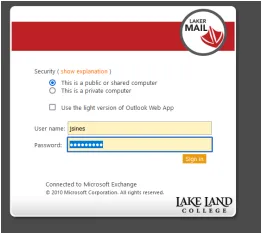
Enter in your username, then enter your (IRIS, ID, HUB, Internet Password) and select sign in.
If you entered the information correctly, it will bring you to a new webpage that will ask you to enter your email.
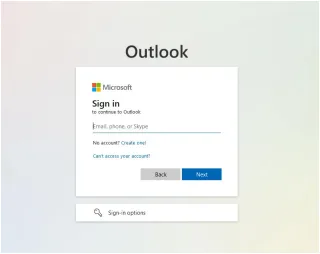
Enter email address (username@lakelandcollege.edu) and hit next.
Again enter your same password you have been entering in on the next screen.
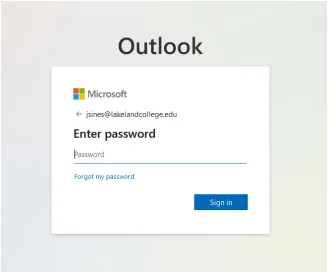
Then once you enter your (IRIS ID, HUB, Internet Password) select sign in and if correct, it should take you into your email.
If you are unable to sign in
If you get any errors signing in, due to not knowing your email password (which is your password you use to sign into the Hub, or IRIS) you will need to reach out to the help desk. Email helpdesk@lakelandcollege.edu or call 217-234-5261.