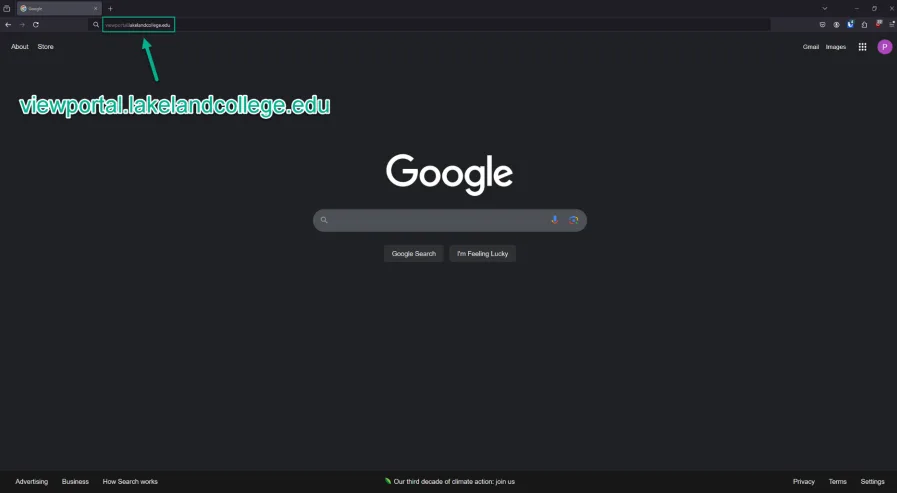
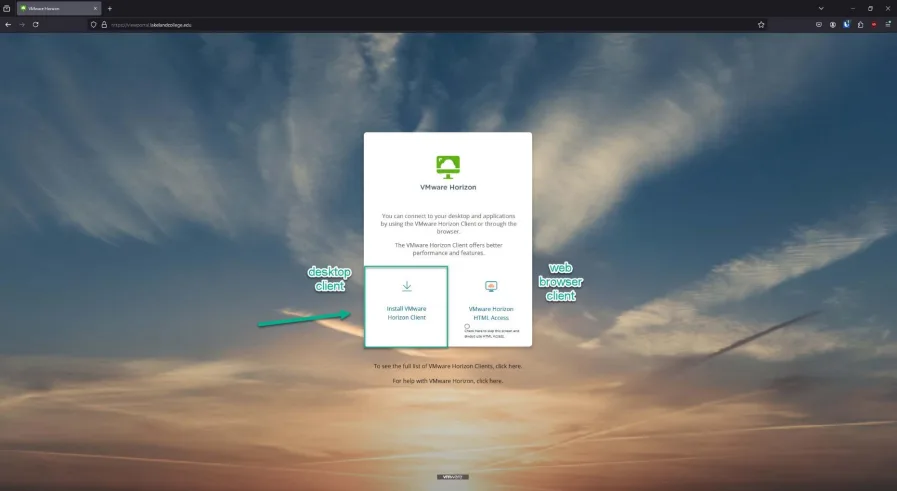
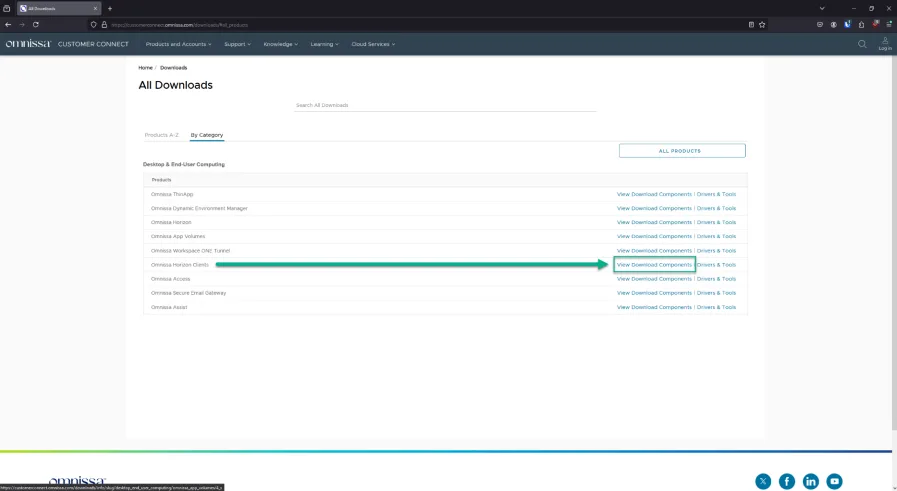
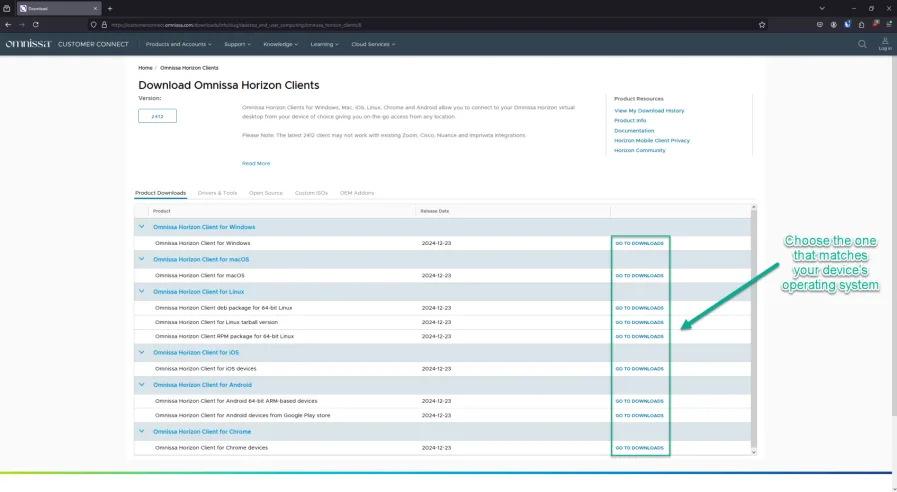
How to Install the VM Desktop Client
Note: installing the client this way allows you to connect USB devices like flash drives – the web browser client does not.
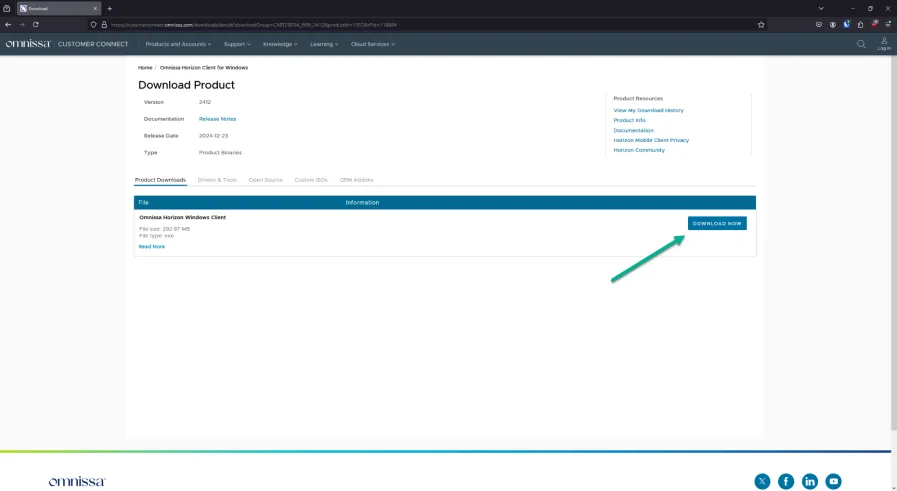
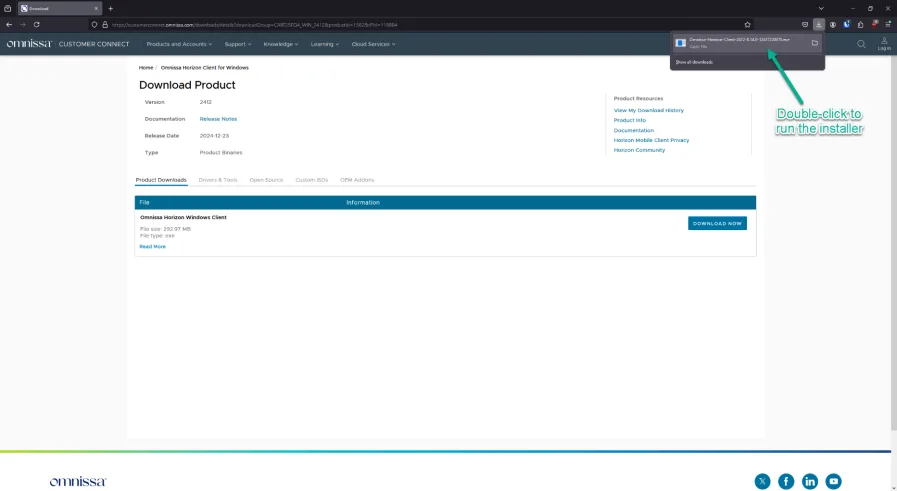
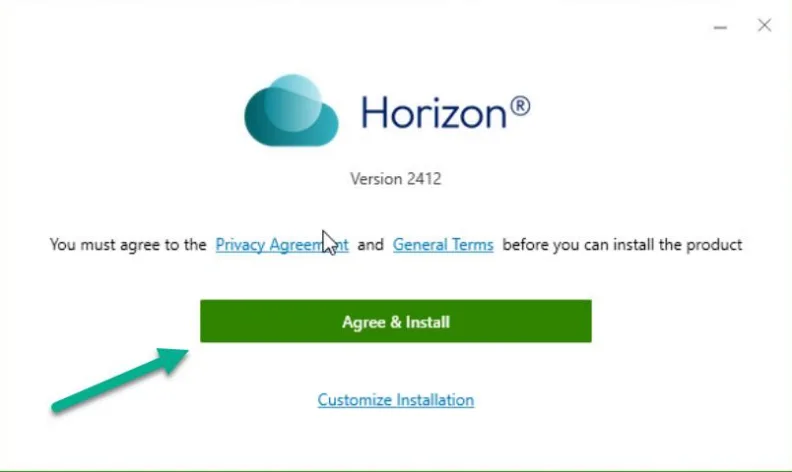
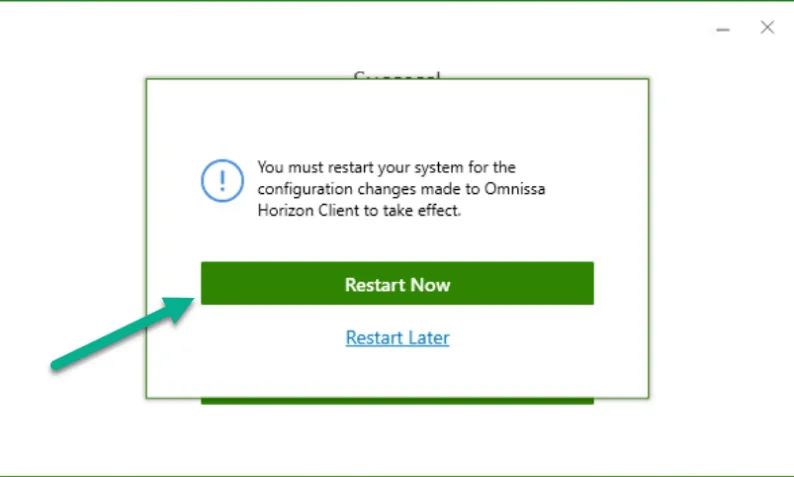
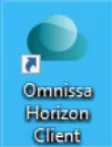
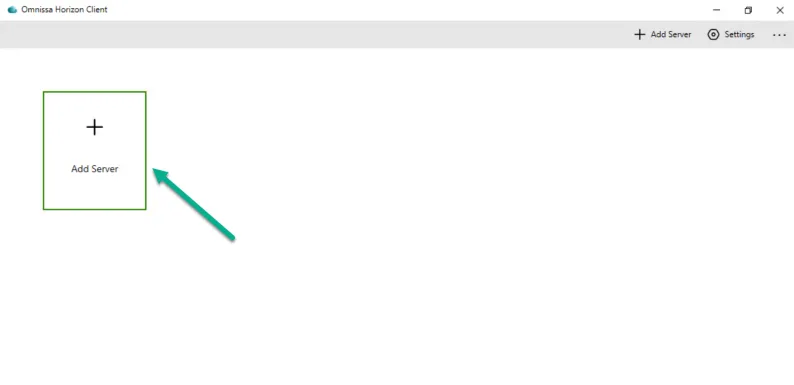
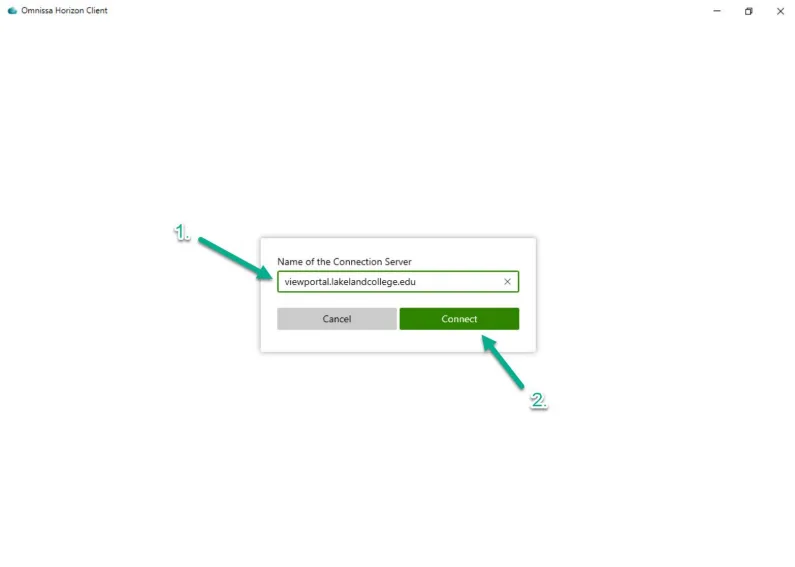
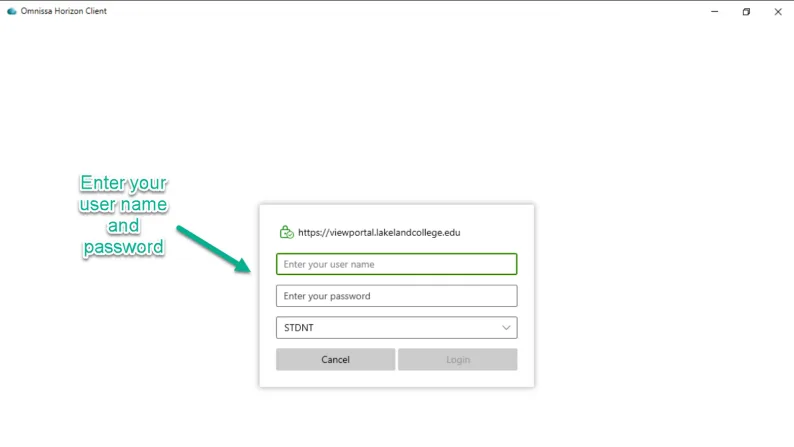
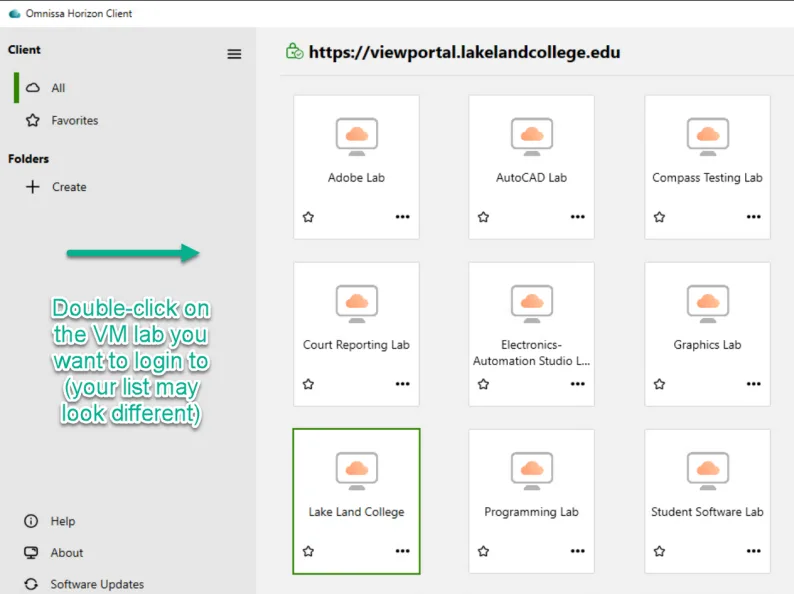
Double-click the desktop shortcut

Note: installing the client this way allows you to connect USB devices like flash drives – the web browser client does not.
Double-click the desktop shortcut